A good quote is more than a price in a text message. It shows the customer what you will do, which materials you will use, what each item costs and when you get paid. Customers trust it more, and you avoid the “I thought that was included” conversations.
Whatever your trade, a professional quote has these parts:
Your details. Business name, phone, email and, if you have one, your logo. The customer should know exactly who to call.
The customer’s details and the job address. The job address is not always where the customer lives.
A clear job title. “Consumer unit replacement” says far more than “Electrical work”.
Itemised lines. Each material and the labour on separate lines, with quantity, unit price and amount.
Subtotal, VAT and total on separate lines, so nobody has to ask “is that with or without VAT?”.
Deposit and balance, if you take a deposit.
Validity. How long the prices hold.
Terms. What is included, what is not, and how you get paid.
Space for the customer’s acceptance. On bigger jobs, a signature or a written “yes” prevents a lot of arguments later.
About VAT: whether you charge it and at what rate depends on your country and whether you are VAT-registered. Check with your accountant.
2. 6 mistakes that cost you jobs
One round number with no breakdown. “£600 all in” feels expensive because the customer cannot see what they are paying for. The same price, itemised, feels fair.
Unclear VAT. A vague “+VAT” at the bottom leads to awkward conversations on payment day.
No expiry date. The customer replies three months later, and materials have already gone up.
No “what’s not included”. Waste removal, making good, permits, redecoration. Whatever you leave out, the customer assumes is included.
No deposit on a materials-heavy job. You buy the materials with your own money and wait.
Sending it late. A quote sent the same day as the visit wins more often than one sent a week later.
3. Example, step by step
An electrician visits a customer for a consumer unit fix. Here is how the quote is made on a phone with Labivo, in a few minutes. The details in the screenshots are test data.
Step 1: Set the basics once
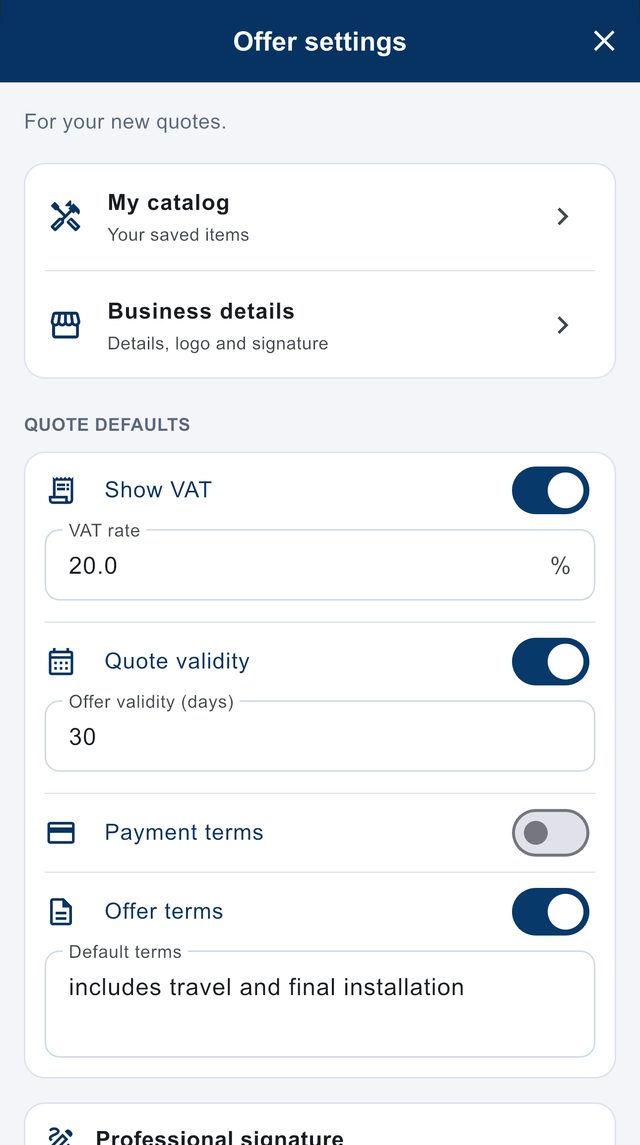
In the quote settings you add your business details, logo and signature, your VAT rate, how many days a quote is valid, and the terms you always use. From then on they are filled in on every new quote, and you can change them at any time.
Quote settings. You set your own VAT rate.
Step 2: Save the lines you use often
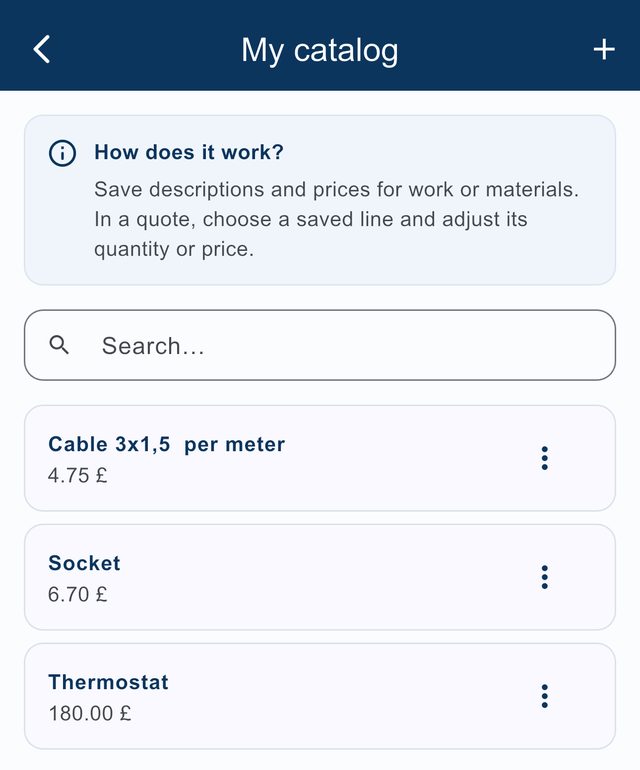
Materials and labour you quote regularly are saved once with a description and price. In a quote you pick them from your catalog and only adjust the quantity or price. No more typing the same items every time.
Your catalog of saved items.
Step 3: Build the quote
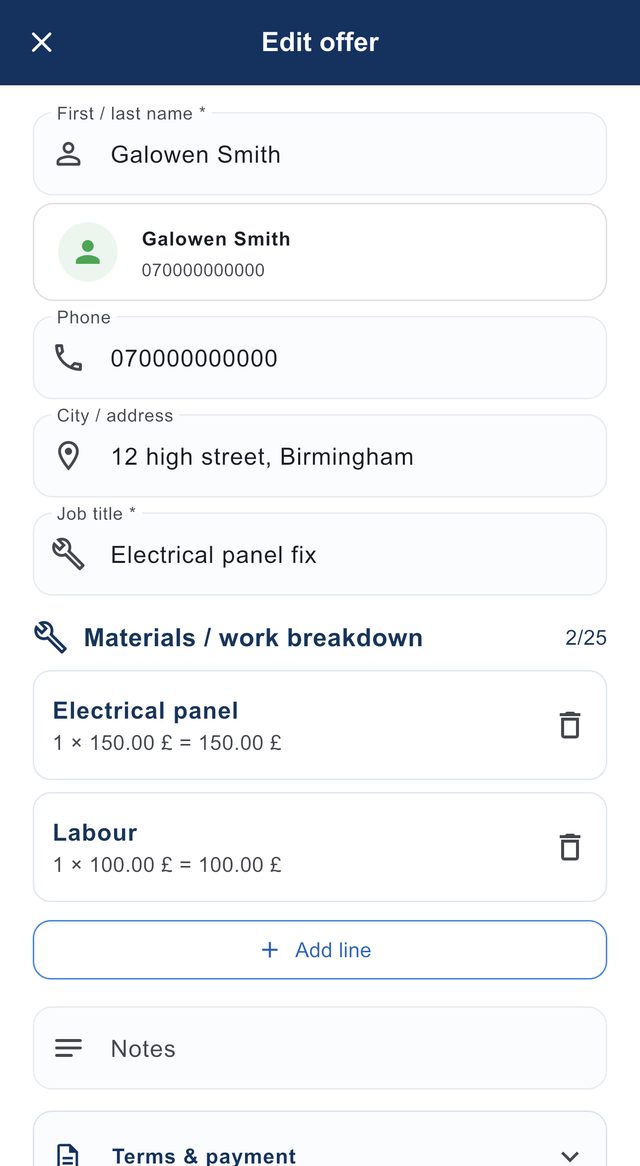
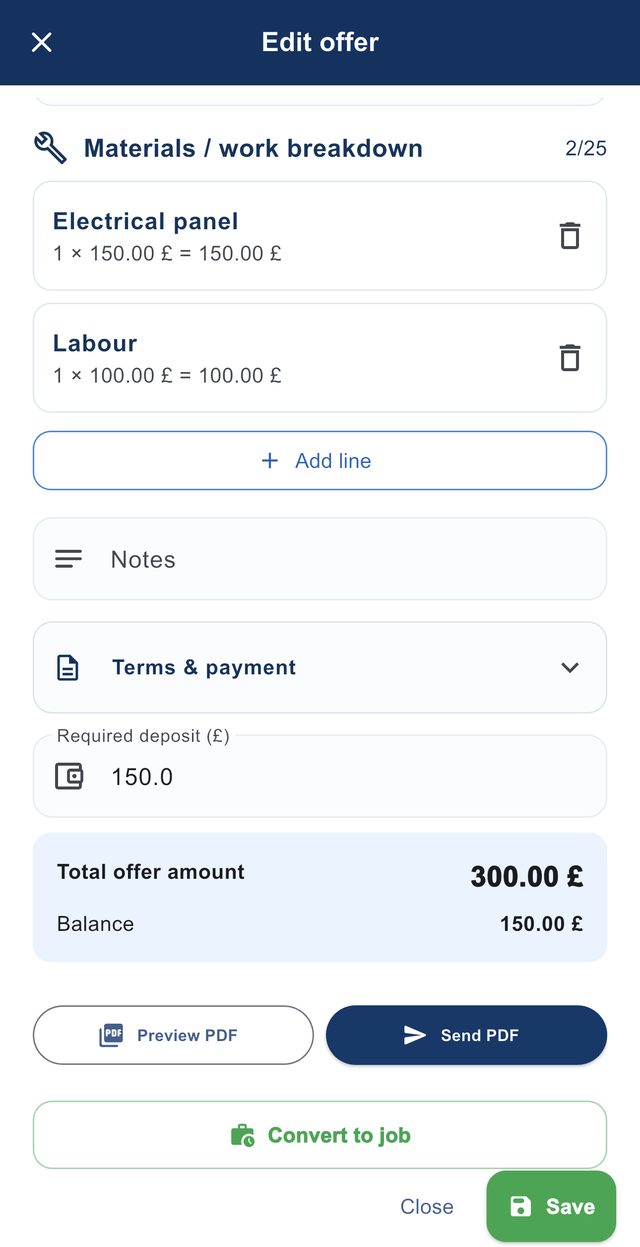
Customer, phone, address and job title. Then add the lines: here the panel as a material and the labour separately. Finally you enter the deposit, and the total and balance are calculated for you.
Customer, job title and lines.Deposit, total and balance.
Step 4: Send the PDF
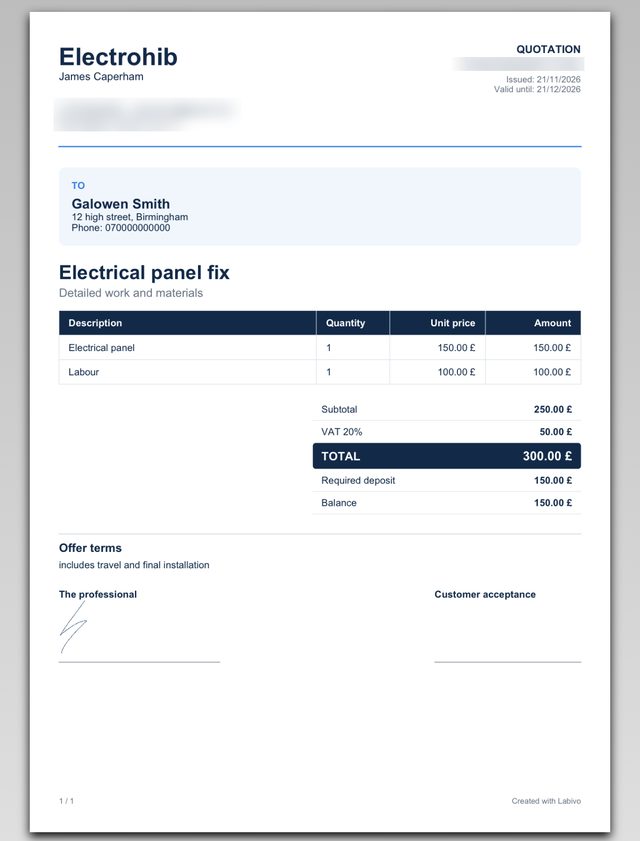
The preview shows exactly what the customer gets: your details, the lines, subtotal, VAT, total, deposit, terms and your signature. Send it by WhatsApp, text or email while you are still at the customer’s home.
The PDF the customer receives.
Step 5: When they say yes, it becomes a job
With Convert to job the quote becomes a job in your schedule, with the customer, the amounts and the deposit. Later you still know who owes you the balance.
4. What changes by trade
The basics are the same for everyone. What changes is what is worth itemising and what you should clearly mark as not included.
Quoting for electrical work
Itemise: cable per metre, sockets and switches per unit, breakers, RCDs, the consumer unit, light fittings, and labour separately from materials.
State what’s not included: chasing and making good, redecorating afterwards, testing and certification if they are not part of the price.
Tip: photograph the old consumer unit before you replace it. If the customer asks in two years what you fitted, you have it.
Quoting for plumbing work
Itemise: pipework per metre, fittings, taps, sanitaryware (or note that the customer supplies it), water heater or cylinder, and labour.
State what’s not included: removing and replacing tiles, waste removal, problems with old pipework found once the wall is opened.
Tip: on a bathroom refit, quote the strip-out and the new installation separately. If the customer drops something, you change one line instead of the whole quote.
Quoting for air conditioning and heating
Itemise: the unit (brand, model, capacity), extra pipe per metre beyond what the standard install includes, brackets, trunking, and labour.
State what’s not included: access equipment or scaffolding, a new electrical supply from the consumer unit, removing an old unit.
Tip: write how many metres of pipe the price includes. It is the most common reason for a dispute after installation.
Quoting for painting, tiling and handyman jobs
Itemise: labour per square metre, materials (paint, adhesive, grout), and surface preparation separately from the finish.
State what’s not included: the tiles themselves if the customer buys them, moving furniture, plaster repairs discovered during the job.
Tip: measure and write the square metres on the quote. If they change, it is obvious why the price changes too.
5. FAQ
Should a quote show VAT separately? +
Yes. Showing the subtotal, the VAT and the total on separate lines is the clearest way. Whether you charge VAT and at what rate depends on your country and whether you are VAT-registered, so check with your accountant.
How long should a quote be valid for? +
Usually 14 to 30 days. The faster material prices change, the shorter the validity should be.
How much deposit should I ask for? +
There is no fixed rule. Many tradespeople ask for at least the cost of the materials they need to buy for that job. What matters is that the deposit and the remaining balance are written on the quote.
What is the difference between a quote and an estimate? +
An estimate is a rough guide to the likely cost. A quote is a fixed price for the work described. If you are not sure of the final scope, say so clearly, or quote the parts you can price and list the rest as extras.
Can I create and send a quote from my phone? +
Yes. In Labivo you build the quote from saved materials and labour lines and send it as a PDF by WhatsApp, text or email.
Make your next quote on your phone
Labivo is free during the beta. No card, no automatic charge.